GMS2-AI Assistant for GameMaker Studio 2
A downloadable tool for Windows
🎮 GMS2-AI — AI Assistant for GameMaker
Create objects, scripts, and rooms for GameMaker using natural language.
Describe what you want, and GMS2-AI generates and integrates real assets directly into your project.
🧠 About This Description (Transparency)
This description was written with the assistance of AI.
The application is large and feature-rich, and AI was used here to ensure the documentation is complete and clearly explains every feature without missing details.
⚠️ Video Notice
The YouTube video currently available shows an older version with some known issues.
An updated video covering the current version will be uploaded soon.
🔐 Security & Trust
This installer has been independently scanned using VirusTotal.
Result: 0/66 antivirus engines detected any threat.
No malware, trojans, spyware, adware, or unwanted software detected.
View the full security report
⚠️ Early Access — Active Development
This tool is functional and ready to use, but it is still under active development.
While the AI generates working code, it may occasionally produce minor issues such as:The generated code is functional, but we recommend reviewing it before running your project.
- Missing parentheses when extending existing code
- Using variable names that can conflict in some contexts
- Minor syntax inconsistencies requiring quick manual fixes
🎯 Purpose & Scope
GMS2-AI is built to accelerate real GameMaker development workflows: reduce boilerplate, speed up prototyping, and help generate structured assets quickly while keeping the developer fully in control.
❌ Why this is NOT a “toy”
- Works directly on real GameMaker projects by reading and writing project files
- Parses and patches
.yyp,.yyand.gmlfiles - Uses validated operations and consistent asset creation rules
- Creates complete resources (objects/events/scripts/rooms), not isolated snippets
- Supports snapshots/rollback so you can safely test changes
🎮 What is GMS2-AI?
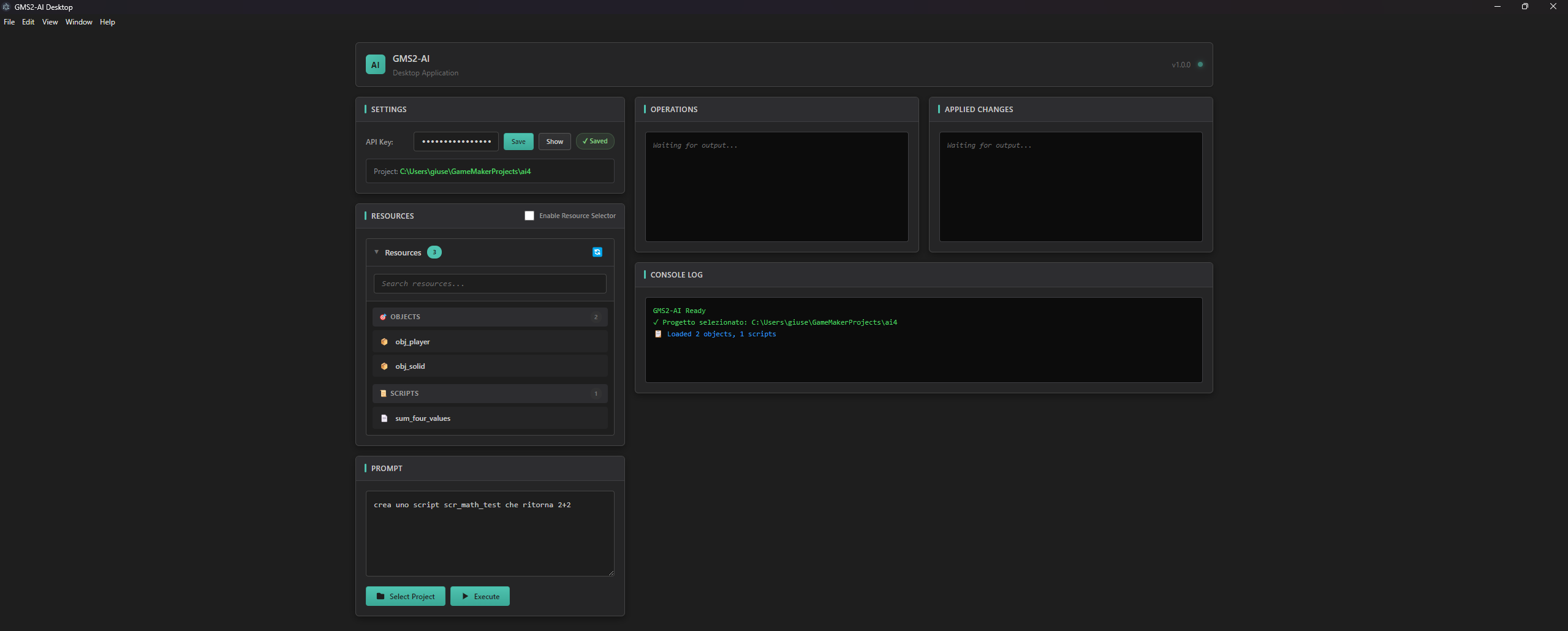
GMS2-AI is a desktop application that uses AI to generate and modify GameMaker assets directly in your project. You write a prompt in English or Italian, and the tool creates fully functional objects, scripts, and rooms — or modifies existing ones.
Stop writing boilerplate. Start creating games faster.
✨ Features
🤖 Natural Language Input
Describe what you want in plain English or Italian. Example: "Create a player with WASD movement and jumping".
📦 Create Objects
Generate complete objects with events (Create, Step, Draw, Collision, Keyboard, Alarms, and more).
📜 Create Scripts
Generate utility scripts and complex logic. The AI follows GML syntax and consistent patterns.
🏠 Create Rooms
Create rooms with custom dimensions, views, and camera settings.
🔄 Modify Existing Assets
Update existing objects/scripts: append, prepend, or replace code in specific events or scripts.
🎯 Smart Placeholder Sprites
Objects automatically receive a placeholder sprite so they’re visible and immediately placeable in the Room Editor.
🔐 Secure API Key Storage
Your OpenAI API key is encrypted and stored locally. It is never transmitted anywhere except OpenAI.
🔧 Constant Updates
Regular improvements and bug fixes based on feedback and testing.
🚀 Perfect For
- Rapid Prototyping — build mechanics in minutes
- Game Jams — faster iteration under time pressure
- Learning GML — inspect generated code and patterns
- Boilerplate Generation — skip repetitive setup
- Solo Developers — multiply productivity
📋 Requirements
- Windows 10/11
- GameMaker (recent versions)
- OpenAI API Key (get one here)
💡 Example Prompts
Create a player with gravity, jumping with spacebar, and WASD movementCreate an enemy that follows the player and dies on collision with obj_bulletCreate a gun that shoots bullets when clicking, with a fire rate cooldownCreate three rooms: rm_menu, rm_game, rm_game_over, all 1920x1080Add a DrawGUI event to obj_player that shows health and scoreCreate a script with functions for approach, lerp_angle, and wave⚠️ Important Notes
- API Key Required: This tool requires your own OpenAI API key (paid). Costs are typically low (often cents per session). The application does not include an API key.
- Review Generated Code: Always check AI-generated code before running your game. Minor fixes may occasionally be needed.
- Active Development: Features and AI accuracy are continuously improving with updates.
- Backup Friendly: Keep your project under version control (Git) or make backups for extra safety.
🛠️ Made With
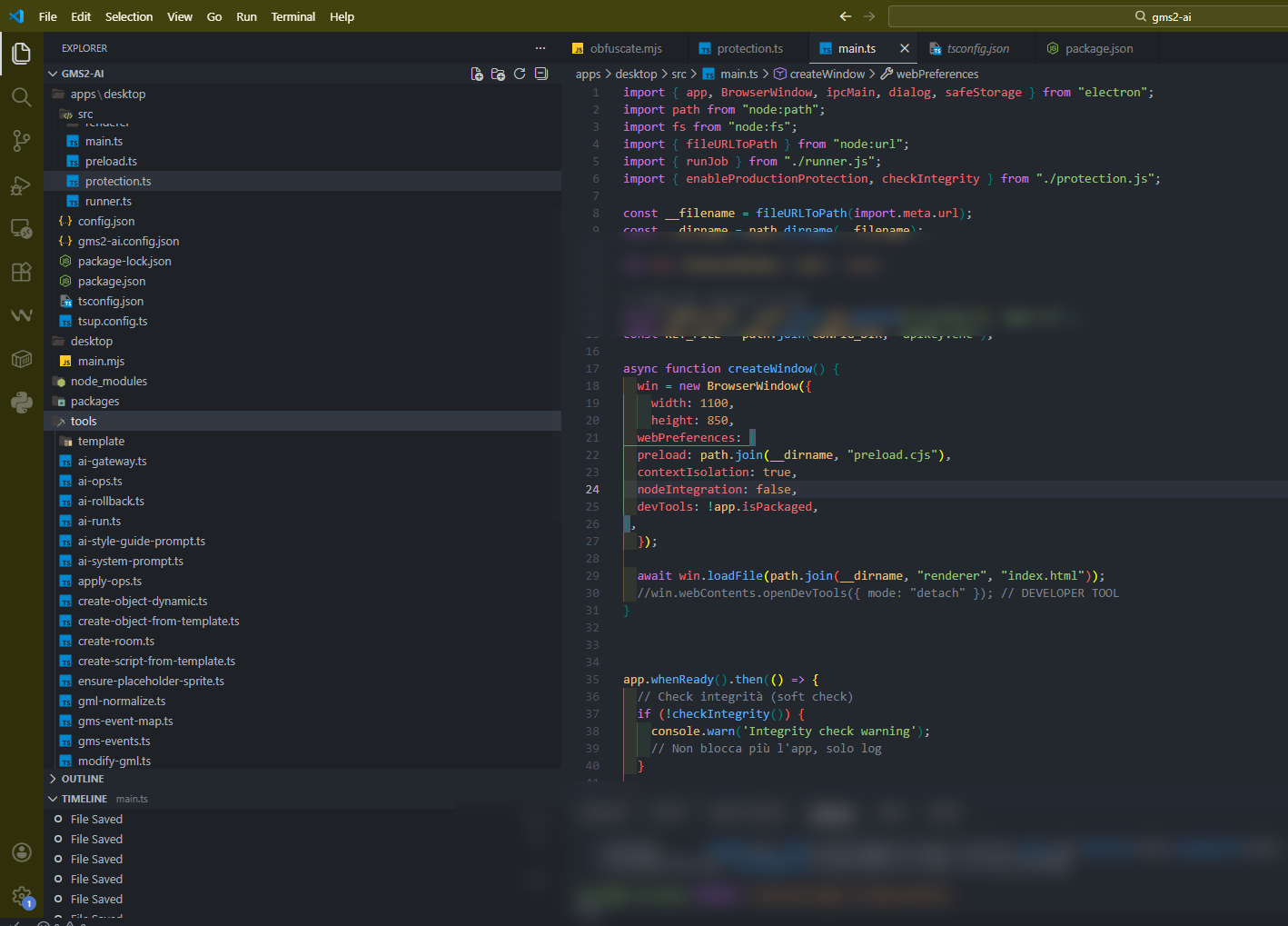
Electron • TypeScript • OpenAI (gpt-4o-mini)
Love for GameMaker ❤️
📖 User Manual / Manuale Utente
🇬🇧 English Manual
Installation
- Download
GMS2-AI-Setup.exe - Run the installer
- Choose installation directory
- Launch GMS2-AI from Start Menu or Desktop shortcut
First Time Setup
1) Get an OpenAI API Key
- Go to platform.openai.com
- Log in
- Navigate to API Keys
- Create a new secret key
- Copy the key (starts with
sk-)
2) Configure GMS2-AI
- Launch GMS2-AI
- Paste your API key into the API Key field
- Click Save (your key is encrypted and stored locally)
3) Select Your Project
- Click Pick Project
- Select the folder containing your
.yypfile - Do not select subfolders like
objects/orscripts/
Using GMS2-AI
Creating Objects
Basic:
Create an object called obj_player with a Create event that sets speed to 5
Complex:
Create obj_enemy that:
- Has health variable set to 3
- Follows the player in Step event
- Dies and adds 100 to global.score on collision with obj_bullet
- Draws a health bar above itself
Creating Scripts
Simple function:
Create a script scr_utils with a function that returns a random number between two values
Multiple functions:
Create scr_math with functions for:
- approach(current, target, amount)
- angle_difference(a, b)
- wave(from, to, duration, offset)
Creating Rooms
Basic room:
Create a room called rm_level1 with size 1920x1080
Pixel art room with views:
Create rm_game with size 320x180, enable views, view size 320x180
Multiple rooms:
Create rooms: rm_menu, rm_game, rm_pause, rm_game_over - all 1366x768
Modifying Existing Assets
Add to existing object:
Add a DrawGUI event to obj_player that displays "HP: " and the hp variable at position 10,10
Modify script:
Add a new function to scr_utils that calculates distance between two points
Tips for Best Results
- ✅ Be Specific — “Create player with 8-direction movement at speed 4”
- ✅ Use GameMaker Terms — “Create event”, “Step event”, “DrawGUI event”, “Alarm[0]”
- ✅ Name Things Properly —
obj_,scr_,rm_,spr_ - ✅ One Request at a Time — build complex systems incrementally
- ✅ Review Output — always inspect generated code before running
Troubleshooting
"API Key invalid"
- Verify your key starts with
sk- - Check your OpenAI account has credits
- Generate a new key if needed
"Project not found"
- Select the folder containing the
.yypfile - Don't select subfolders like
objects/orscripts/
"Operation failed"
- Rephrase your request
- Break complex requests into smaller prompts
- Check the log panel for specific errors
Objects don't appear in GameMaker
- Refresh the Asset Browser (right-click → Refresh)
- Or close and reopen the project
Minor code issues
- Check for missing parentheses in modified code
- Verify variable names don't conflict with built-ins
- Apply quick manual fixes when needed
🇮🇹 Manuale Italiano
Installazione
- Scarica
GMS2-AI-Setup.exe - Esegui l'installer
- Scegli la cartella di installazione
- Avvia GMS2-AI dal Menu Start o dal collegamento sul Desktop
Prima Configurazione
1) Ottieni una API Key OpenAI
- Vai su platform.openai.com
- Accedi
- Vai alla sezione API Keys
- Crea una nuova chiave segreta
- Copia la chiave (inizia con
sk-)
2) Configura GMS2-AI
- Avvia GMS2-AI
- Incolla la API key nel campo API Key
- Clicca Save (la chiave viene criptata e salvata localmente)
3) Seleziona il Progetto
- Clicca Pick Project
- Seleziona la cartella che contiene il file
.yyp - Non selezionare sottocartelle come
objects/oscripts/
Usare GMS2-AI
Creare Oggetti
Base:
Crea un oggetto chiamato obj_player con evento Create che imposta speed a 5
Complesso:
Crea obj_enemy che:
- Ha variabile health impostata a 3
- Segue il player nell'evento Step
- Muore e aggiunge 100 a global.score alla collisione con obj_bullet
- Disegna una barra della vita sopra di sé
Creare Script
Funzione semplice:
Crea uno script scr_utils con una funzione che ritorna un numero random tra due valori
Funzioni multiple:
Crea scr_math con funzioni per:
- approach(current, target, amount)
- angle_difference(a, b)
- wave(from, to, duration, offset)
Creare Room
Room base:
Crea una room chiamata rm_level1 con dimensioni 1920x1080
Room pixel art con view:
Crea rm_game con dimensioni 320x180, abilita le view, dimensione view 320x180
Room multiple:
Crea le room: rm_menu, rm_game, rm_pause, rm_game_over - tutte 1366x768
Modificare Asset Esistenti
Aggiungere a oggetto esistente:
Aggiungi un evento DrawGUI a obj_player che mostra "HP: " e la variabile hp alla posizione 10,10
Modificare script:
Aggiungi una nuova funzione a scr_utils che calcola la distanza tra due punti
Consigli per Risultati Migliori
- ✅ Sii Specifico — “Crea player con movimento 8 direzioni a velocità 4”
- ✅ Usa Terminologia GameMaker — “evento Create”, “evento Step”, “evento DrawGUI”, “Alarm[0]”
- ✅ Nomina Correttamente —
obj_,scr_,rm_,spr_ - ✅ Una Richiesta alla Volta — costruisci i sistemi complessi per step
- ✅ Controlla l'Output — rivedi sempre il codice prima di eseguire
Risoluzione Problemi
"API Key non valida"
- Verifica che la chiave inizi con
sk- - Controlla che il tuo account OpenAI abbia credito
- Genera una nuova chiave se necessario
"Progetto non trovato"
- Seleziona la cartella che contiene il file
.yyp - Non selezionare sottocartelle come
objects/oscripts/
"Operazione fallita"
- Riformula la richiesta
- Dividi le richieste complesse in prompt più piccoli
- Controlla il pannello log per dettagli
Gli oggetti non appaiono in GameMaker
- Aggiorna l'Asset Browser (tasto destro → Refresh)
- Oppure chiudi e riapri il progetto
Piccoli problemi nel codice
- Controlla eventuali parentesi mancanti nel codice modificato
- Verifica che i nomi delle variabili non confliggano con variabili built-in
- Fai piccole correzioni manuali se necessario
📝 Changelog
v0.1.0 (Initial Release)
- ✅ Create objects with all event types
- ✅ Create scripts with functions
- ✅ Create rooms with custom dimensions and views
- ✅ Automatic placeholder sprite assignment
- ✅ Encrypted API key storage
- ✅ Bilingual support (English/Italian)
- ✅ Project validation
- ✅ Error handling with suggestions
- ⚠️ Active testing phase
v1.0.0 (Major Release — February 2026)
Version: 1.0.0
Release Date: February 2026
Platform: Windows (Mac/Linux compatible)
License: Proprietary
Highlights: resource selector, smarter context loading, improved JSON forcing, better error handling, UI refinement, and overall stability.
📄 License
Free to use (donations appreciated to support development!)
🙏 Credits
Developed by Giuseppe (Jobit)
Powered by OpenAI
Built with Electron + TypeScript
🎮 Happy Game Making! 🎮
Download
Click download now to get access to the following files:
Development log
- some bugs fixed43 days ago
- GMS2-AI V1 SMARTER45 days ago
Comments
Log in with itch.io to leave a comment.
can we use other ai provider beside openai? like openrouter or others?
sorry for the late answer.. is not possible at the moment .. maybe in future